


Kitchen Design: 3D Planner
4.2255.00 Reviews
App Specs
- Version
- 2608
- Updated On
- License
- Free
- Downloads
- 1,000,000+
- Developer
- PlannerSoft LDA
- Categories
- House & Home
- Platform
- Android, iOS
Screenshots
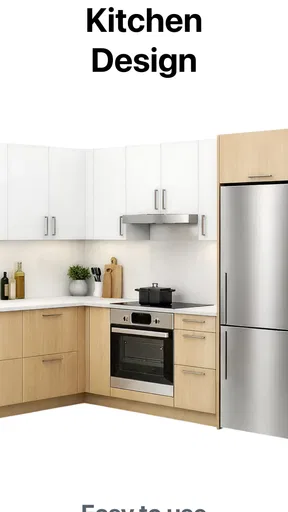
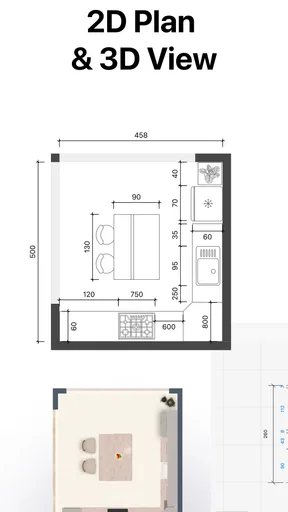
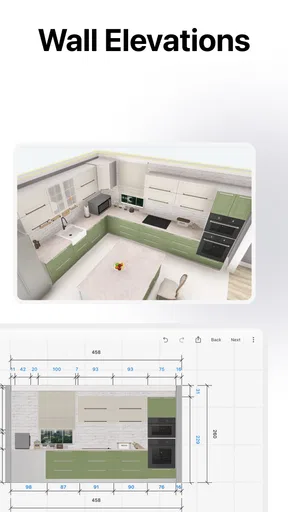
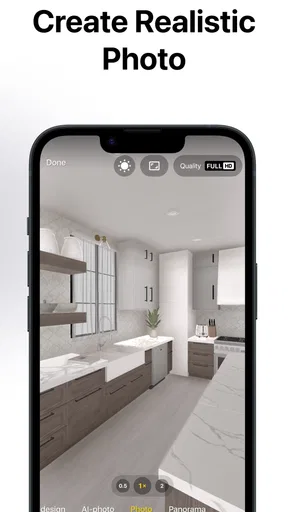
 Analysis by AppCompare
When I plan a kitchen change, the hardest part is often not picking a cabinet color; it is understanding how the pieces might fit together in the room. Kitchen Design: 3D Planner is most useful to me as a visual planning space: I can explore a cabinet layout and view a proposed kitchen in three dimensions before making decisions in the real room. That makes it easier to compare ideas while they are still sketches, rather than relying on memory or trying to interpret a flat drawing.
This is a free House & Home app from PlannerSoft LDA, rated for Everyone. It has a 4.2 average from around 14,000 ratings and has been installed over a million times. The current version is 2607, and the app requires Android 10 or later. There are in-app purchases, ranging from $4.99 to $399.99 per item, so I would check what is included before treating every option as part of the free experience.
A visual layout tool, not a construction guarantee
The main value I see in a 3D kitchen planner is the ability to turn an abstract arrangement into something I can inspect from different angles. A row of cabinets may seem sensible on paper, but a spatial view can make the overall balance easier to judge. I can focus on whether the plan looks crowded, whether a finish feels too dominant, or whether two choices work together as well as I expected.
That visual feedback is useful for early decisions, but I would not treat a design on a phone as proof that a real installation will fit. Kitchen work depends on accurate room measurements and practical details that need to be checked in person. I’d use the app to develop and compare concepts, then confirm dimensions and installation requirements with a professional before ordering cabinets or appliances.
How I’d use it before committing
I would begin with the room’s real constraints in mind: where the doors and windows are, what must stay, and which parts of the kitchen are most frustrating today. Then I’d test one change at a time. Moving several things at once can make it hard to tell what actually improved the layout, while a small, deliberate comparison gives me a clearer basis for choosing.
For example, if I’m unsure whether a lighter cabinet finish would make a compact kitchen feel calmer, I’d keep the rest of the concept steady and compare finishes instead of rebuilding the whole room each time. I’d also save myself from chasing a perfect-looking image too early. A design can be attractive and still fail to address how I use the space, so I’d judge each version against everyday needs as well as appearance.
Who will get the most from it
I think this is a good fit for renters planning a modest refresh, homeowners collecting ideas before speaking with a kitchen supplier, or anyone who finds it difficult to picture a layout from a written description. It can also help couples or housemates discuss choices more concretely: showing a visual option is often more productive than debating a color or cabinet arrangement in the abstract.
Worth Reading Before You Choose

Flipboard Shows What News Apps Must Do Beyond the Feed

Switching to Android Auto Means Rethinking Your Driving Routine

Google Calendar Makes a Crowded Week Easier to Manage

Ludo King Makes the Most of the Minutes Between Plans

Baby Panda World Brings Quick Play to Modern Phones, but Its Game Library Feels Busy

ESPN’s Live Game View Makes Following Close Games Easier
On the other hand, I wouldn’t rely on it as a substitute for professional planning when a renovation involves complicated room constraints, structural changes, or exact installation specifications. If I already know what I want and simply need a measured technical plan, a dedicated design service or a supplier’s planning process may be more appropriate. The app is strongest as a way to explore possibilities, not as the final authority on a build.
Getting Started with Kitchen Design: 3D Planner
First things first, let’s talk about the initial setup. Downloading the app was a breeze, available on both Android and iOS. As soon as you open it up, you’re greeted with a user-friendly interface that even the least tech-savvy among us can navigate. The app walks you through a quick tutorial, which I found super helpful to get up to speed with all the features.
Once you’re in, you can choose from a variety of templates or start from scratch. I opted to start from scratch because I wanted to get a feel for how flexible and customizable the app truly is. Spoiler alert: it’s incredibly flexible.
Diving into the Features
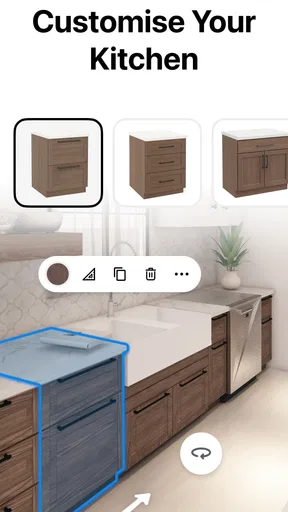
Now, let’s get into the nitty-gritty of what Kitchen Design: 3D Planner offers. One of the standout features is its realistic 3D rendering. You can literally see your dream kitchen come to life on your screen. The drag-and-drop functionality makes it super easy to move elements around until you have everything just right.
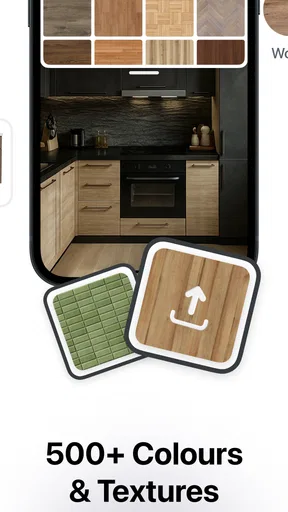
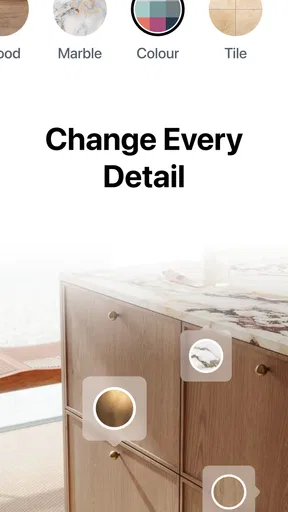
The app boasts a vast library of components—from cabinets and countertops to appliances and decor. You can customize the size, color, and material of each element, which I found particularly handy. I spent a good chunk of time playing around with different combinations, and it was as fun as it was productive.
Another cool feature is the augmented reality mode. You can actually superimpose your design onto your existing kitchen using your phone’s camera. It’s a surreal experience to see potential changes in real-time, and it really helps in making decisions.
User Experience and Accessibility
I’ve used quite a few design apps in the past, and one thing that often trips me up is the learning curve. But with Kitchen Design: 3D Planner, the learning curve was almost non-existent. Everything is laid out intuitively, and the app is remarkably fast and responsive. No more waiting for ages for your design to render!
For those of you who are worried about accessibility, the app includes options for different languages and has features that cater to various accessibility needs. It’s clear that the developers put a lot of thought into making this app usable for everyone.
Keeping the plan grounded in daily life
A useful habit is to treat each version as an answer to a specific question. Maybe I want to know whether a different cabinet arrangement gives the room a more open feel, or whether a particular material makes the rest of my choices look too busy. I’d avoid changing layout, color, and decor all at once: when several variables move together, it becomes difficult to identify which change helped and which one created a new problem.
I’d also keep a short note beside each concept about what it is meant to solve. That can be as simple as “more visual calm” or “make the cabinet run feel balanced.” It sounds basic, but it keeps the planning session from turning into endless decoration. The 3D view is most useful when it supports a decision, not when it becomes a reason to keep tweaking details without a clear goal.
A realistic planning session
Imagine I’m preparing for a conversation with a kitchen supplier and have a free evening to sort out my preferences. I could create a few broad versions: one that prioritizes a restrained look, another that explores a different cabinet finish, and a third that changes the arrangement I’m least sure about. The point would not be to present any of them as a finished specification. Instead, I’d use the visuals to explain what I like, what feels wrong, and which questions need a real measurement or expert answer.
That approach can save time in a conversation because I’m not trying to describe every idea from memory. It can also reveal that two people in the household are reacting to different things: one may care about the overall appearance, while another is more concerned with keeping the room from feeling crowded. The app gives those discussions a shared reference, though the final decision still needs to account for actual room conditions and budget.
Making the 3D and AR views useful
When I inspect a design, I’d look beyond the most attractive camera angle. A pleasing view can hide an awkward relationship between elements, so I’d rotate the plan and check how the composition reads from more than one direction. I’d use the augmented reality view as a way to get a sense of how an idea might sit in the existing kitchen, not as a precise preview of the finished renovation. A phone display can help with visualizing scale and style, but it cannot replace careful measuring.
There is a practical trade-off here: the more time I spend trying finishes and arrangements, the more options I have to compare, but too many versions can make the choice harder rather than easier. I’d narrow the exercise to a few meaningful alternatives and keep the underlying question consistent. That makes the app’s visual tools work for me instead of encouraging an unstructured tour of every possible combination.
How it compares with familiar alternatives
Compared with a notebook sketch or a quick conversation about cabinet colors, a 3D planner gives me a more concrete way to discuss the whole room. It is particularly helpful when I struggle to imagine how separate components will look together. A paper sketch, however, can be quicker for rough notes, and a professional or supplier planning service is the better route when exact dimensions, fitting constraints, or construction decisions are central.
I’d think of those options as serving different stages rather than competing for the same job. A sketch is handy for capturing a first thought; this app is useful for exploring the visual arrangement; an expert can check whether the chosen direction is practical to install. If I only need a mood board for colors, a simpler collage tool may feel less involved. If I need a dependable technical plan, I would not stop at a visual design app.
Cost, expectations, and a sensible stopping point
The app is free to download, but the listed in-app purchases range from $4.99 to $399.99 per item. That broad spread is a reason to pause and inspect a purchase carefully before paying, especially if I’m only trying the planner for a one-off room refresh. I’d first decide what I need to accomplish and see whether the free experience is enough for that task; I would not assume that every design option is included without checking within the app.
I’d also set a stopping point before getting drawn into small aesthetic adjustments. Once I have a few clear concepts and a list of questions to verify, more screen time may add little value. The useful outcome is not a flawless rendering; it is a better-informed conversation about what I want and what needs checking in the actual kitchen.
Final Thoughts
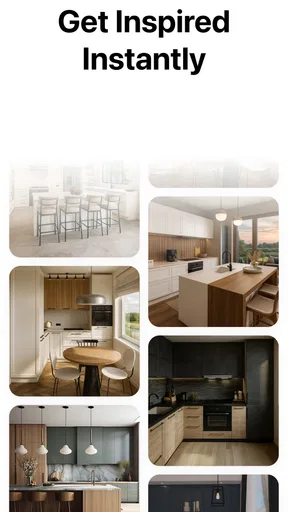
In conclusion, if you’re considering a kitchen revamp, Kitchen Design: 3D Planner is an indispensable tool. It’s not just a planner; it’s a source of inspiration and creativity. The app empowers users to explore and visualize endless design possibilities while providing the practical tools needed to bring those designs to fruition.
Whether you’re a professional interior designer or just someone looking to tweak their home setup, this app is worth every minute you spend on it. So, go ahead and give it a try—you might just find yourself cooking up more than just meals in your newly designed kitchen!
My recommendation
My strongest recommendation is to use this as a decision-making aid, not a promise that a design will work exactly as pictured. It suits people who want to compare cabinet layouts and finishes before spending time or money on a real remodel, especially if a visual explanation helps them communicate. It is less suitable for anyone who needs a verified technical drawing or already has a tightly specified project that calls for professional measurements.
For a small room, I’d start with the layout question that affects the whole space, then use the 3D view to judge the overall result and the AR view for a rough sense of how the idea relates to the existing kitchen. I’d take the best concept to a supplier or installer, confirm the practical details, and only then decide what to buy. Used in that order, Kitchen Design: 3D Planner can make early planning more focused without asking a phone app to do a professional’s job.
Pros
- Easy-to-use interface for beginners.
- Wide range of design templates available.
- Realistic 3D visualization options.
- Regular updates with new features.
- Supports multiple languages.
Cons
- Limited free features in basic version.
- Occasional lag on older devices.
- Some design elements are paid.
- Requires internet for full functionality.
- Ads can be intrusive at times.
FAQs for Kitchen Design: 3D Planner
What is Kitchen Design: 3D Planner?
Kitchen Design: 3D Planner is an app that enables users to design and visualize kitchen layouts in a three-dimensional space. It offers a variety of tools and features to customize every aspect of your kitchen, from cabinets and appliances to flooring and lighting. Ideal for homeowners and designers alike.
How user-friendly is the interface of Kitchen Design: 3D Planner?
The interface of Kitchen Design: 3D Planner is designed to be intuitive and user-friendly, accommodating both novices and seasoned designers. The app provides step-by-step guidance and tutorials, making it easy to create detailed kitchen designs without prior experience in interior design.
What features does Kitchen Design: 3D Planner offer?
The app offers a range of features, including a library of kitchen fixtures, customizable dimensions, color options, and real-time 3D rendering. Users can also save, share, and export their designs. Additionally, the app supports importing floor plans and includes a measurement tool for precision.
Is Kitchen Design: 3D Planner available on both Android and iOS?
Yes, Kitchen Design: 3D Planner is available for download on both Android and iOS platforms. Users can find the app on the Google Play Store and Apple App Store, ensuring accessibility for a wide range of smartphone and tablet users.
Are there any costs associated with using Kitchen Design: 3D Planner?
Kitchen Design: 3D Planner offers a free version with basic features, but there are also in-app purchases available for advanced tools and content. Users can choose to upgrade for a more comprehensive design experience, including access to premium templates and additional customization options.


